Slider[Style1]

Style2

Style3[OneLeft]

Style3[OneRight]

Style4

Style4

Redesigned MacBook Air could ship by June


Apple's rumored 12-inch MacBook Air could start shipping in the second quarter of the year, according to a new report.
While Apple's launch schedule remains "unclear," according to The Wall Street Journal, suppliers are already working on mass production of the redesigned 12-inch MacBook Air with Retina.
The initial reports of the redesigned MacBook Air with Retina came from 9to5Mac's Mark Gurman earlier this year, who wrote that the new MacBook Air will feature not only a higher resolution display, but will also eschew a full-size USB port, an SD card slot and even Apple's proprietary MagSafe connector in exchange for a single plug for everything .
A second quarter ship date could put the release of this alleged product anywhere between April and June.
This makes sense, as this is the time period Apple frequently releases updates or redesigns of its notebook products.
Of course, an April release date could mean that we see the new MacBook Air during the Apple Watch event the company is holding on Monday. Still, it seems more likely that Apple would save a full MacBook Air redesign for an event not as tied to a singular product, such as WWDC in June. 

HP's Spectre x360 is the sexiest 2-in-1 ultrabook convertible ever

It's a great year to buy a new PC. Not only is Windows 10 coming later this year, but PC makers are stepping up their design game. Dell's XPS 13 is a real winner and now HP's joining the premium ultrabook game with its new Spectre x360.
HP's x360 is a 13.3-inch 2-in-1 hybrid laptop/tablet running Windows 8.1 that imitates Lenovo's Yoga 2 Pro. Like its rival, the 3.26-pound x360 can be folded in four modes: laptop, tablet, tent and stand mode.
But whereas Lenovo's ultrabooks are made from plastic, HP went the premium route with a precision-machined aluminum frame and jewel-cut edges. The result is a design that's gorgeous and sturdy.
The only plastic you'll find on this baby is the back-lit keyboard, which is full-sized and terrific to type on. The glass trackpad is extra wide, which is great for multitouch gestures, but I noticed some real lag while two-finger scrolling in Internet Explorer .


There are two IPS touchscreen resolutions: Full HD (1,920 x 1,080) and Quad HD (2,560 x 1,440). I didn't get a chance to look at the Quad HD model,but the full HD model I'm currently testing looks pretty excellent  and has vivid colors, despite how reflective it is : 
The x360 isn't just a beautiful 0.62-inch slim body. HP made sure that it could also keep up with the latest and greatest ultrabooks with Intel's fifth-generation "Broadwell" Core processors that start at 2.2GHz and Intel HD graphics 5500.
Here are the four configurations:
  • Intel Core i5 processor, 128GB SSD, 4GB RAM, full HD display — $899.99
  • Intel Core i5 processor, 256GB SSD, 8GB RAM, full HD display — $999.99
  • Intel Core i7 processor, 256GB SSD, 8GB RAM, full HD display — $1,149.99
  • Intel Core i7 processor, 512GB SSD, 8GB RAM, Quad HD display — 1,399.99

HP also says it put a lot of work into boosting Wi-Fi reliability when the x360 is in its different modes, a problem other convertible ultrabooks apparently suffer from.
Port-wise, there's plenty: Three USB 3.0 ports, an SD card slot, a full-size HDMI port and a MiniDisplay 1.2 port. Together, the two video ports can drive two displays. You won't be able to do dual-screen gaming at any respectable settings with the Intel HD graphics 5500, but displaying two screens worth of websites and spreadsheets? Absolutely doable .
Battery life is up to 12.5 hours on a charge with "normal" usage. I haven't verified that claim yet, but so far the laptop's been able to squeeze out enough to last almost a full work day of browsing the web and watching videos. We'll have to do some more testing to see how the battery really holds up.

The x360 is available starting Sunday at HP.com. Best Buy will stock the laptop on March 15. The Quad HD model with 512GB of SSD will be available in April. HP's also selling a leather sleeve for $70 and the Active Pen stylus that'll work with its touchscreen for $45. 
I've been messing with the $999 model, which HP believes will be the one most people buy, and aside from the iffy trackpad, it's a pretty solid Windows 8.1 laptop. Stay tuned for our full review.

Best 7 Black Friday Deals for Laptop Computers 2014


Black Friday is just around the corner and with it comes midnight shopping, waiting in lines for 3-4 hours to score $100 off a new tablet, and possibly some violence in the sales aisle.
Each year seems to get just a little bit worse.
We’ve collected what we deem to be the top 7 deals for laptop computers this Black Friday, for those of you who would rather only visit one store in the evening. Hopefully this list will help you narrow it down.

1. HP Black 15.6″ 15-f004wm Laptop PC with Intel Celeron N2830 Processor, 4GB Memory, 500GB Hard Drive and Windows 8.1  at $159 [Walmart]

 Best 7 Black Friday Deals for Laptop Computers [2014]
At just under $250, this HP laptop is one of our best value recommendations this Black Friday. You can pick it up at Walmart, order it online (with free shipping), or schedule an in-store pickup on the Walmart website here.
So, if you’re worried about trying to elbow through crowds on Black Friday, you can always order this online and ship it to your house.
Sales start on November 27th at 6pm.
black friday 1 Best 7 Black Friday Deals for Laptop Computers [2014]
Other features of this HP laptop are:
  • Intel Celeron N2830 processor
    2.16GHz (up to 2.41GHz via Turbo boost)
  • 4GB DDR3 SDRAM system memory
    Gives you the power to handle most power-hungry applications and tons of multimedia work
  • 500GB SATA hard drive
    Store 333,000 photos, 142,000 songs or 263 hours of HD video and more
  • SuperMulti DVD Burner
    Watch movies and read and write CDs and DVDs in multiple formats
  • 10/100Base-T Ethernet, 802.11b/g/n Wireless LAN
    Connect to a broadband modem with wired Ethernet or wirelessly connect to a WiFi signal or hotspot with the 802.11b/g/n connection built into your PC
  • 15.6″ HD BrightView WLED-backlit display
    Intel HD Graphics

2. Asus X205TA, 11.6″ HD Laptop at $99 [Staples]

 Best 7 Black Friday Deals for Laptop Computers [2014]
At less than $100, this is by far our cheapest deal on our list. Asus does a great job with small, portable laptops and tablets. This laptop is a great Black Friday steal if you want to get some stocking stuffers for your loved ones
This amazing deal is only $100 and the deal starts on November 27th at 6pm. You can order it here.
Other features of this Asus Laptop
  • Intel® Atom Z3735F 2MB Cache, 1.33GHz, up to 1.83GHz Processor
  • 2GB System Memory (DDR3L)/ 32GB Flash
  • 802.11abgn + Bluetooth 4.0
  • UMA Intel HD Graphics
  • Inputs: 2x USB 2.0, 1x Micro HDMI port
  • 11.6″ HD Display
  • Windows 8.1 with Bing
  • ASUS Webstorage with 500GB for 2 years
  • OneDrive and ASUS Webstorage cloud storage
  • OneDrive with 15GB of storage

3. Samsung Silver 11.6″ Chromebook PC with Samsung Exynos 5 Dual Processor and Google Chrome OS $199 [Walmart]

Chomebooks are on the rise. They are cheap, easy to use, safe from most viruses, and run the Google Chrome OS.
black friday 00 chome Best 7 Black Friday Deals for Laptop Computers [2014]
This sweet deal starts at just under $200. You can pick this up at Walmart or pre-order it (with free shipping or in-store pickup) here.
Other features of this Samsung Chromebook
  • Samsung Exynos 5 Dual processor
  • 2GB memory; 16GB SSD hard drive
  • 3-in-1 card reader, WiFi
  • Google Chrome OS

4. Dell Inspiron 15.6 Touch Core i3 Laptop w/ 4GB, 500GB at $299.99 [Best Buy]

 Best 7 Black Friday Deals for Laptop Computers [2014]

This sale starts on November 27th at 6pm.
Other features of this Dell computer
  • 4th Gen Intel Core i3-4030U processor
  • 4GB DDR3L memory
  • 15.6″ LED-backlit high-definition touch-screen display
  • 500GB hard drive (5400 rpm)
  • Built-in 1.0MP high-definition webcam with digital microphone
  • 1 USB 3.0 port and 2 USB 2.0 ports
  • Built in high-speed wireless LAN (802.11b/g/n)
  • Bluetooth 4.0 interface
  • Weighs 5.3 lbs

5. Acer C720 Chromebook 11.6-Inch, 2GB at $199 [Amazon.com]

If you want to skip going to a store altogether this Black Friday, Amazon.com is the way to go. You can order it here. This Chromebook is one of the highest-ranking computers on Amazon.com. It has just over 2,500 reviews already and averages 4.4 stars out of five which, you know, is incredible for any piece of technology.
black friday 000 chrome acer 470x330 Best 7 Black Friday Deals for Laptop Computers [2014]
Actually, I am writing this post on my own Acer C720 that I picked up a couple months back. It is a wonderful machine.
This deal is already going, so you don’t have to wait until Black Friday to pick it up.
Additional features for the Acer C720
  • 11.6″ Anti-Glare HD Widescreen LED-backlit Display
  • Intel® Celeron® Processor 2955U (1.4GHz, 2MB L3 cache)
  • Haswell micro-architecture
  • Google Chrome Operating System
  • 16GB SSD Drive
  • 2048MB DDR3L SDRAM Memory
  • Intel® HD Graphics with 128MB of dedicated system memory
  • Acer InviLinkTM NplifyTM 802.11a/b/g/n (MIMO Dual-Band 2.4Ghz & 5GHz) Wireless LAN
  • Bluetooth 4.0
  • Built-in HD Webcam
  • Two built-in stereo speakers
  • 1- USB 3.0 Port, 1- USB 2.0 Port, and 1- HDMI™ Port
  • Full-size Acer FineTip Keyboard
  • Multi-Gesture Touchpad
  • 3-Cell Li-Polymer Battery Up to 8.5-hours Battery Life
  • 2.76 lbs.| 1.25 kg (system unit only)

6. Dell Inspiron 15 Celeron Laptop w/ 4GB, 500GB at $189 [Dell or Walmart]

 Best 7 Black Friday Deals for Laptop Computers [2014]
This deal starts at November 27th at 6pm. You can order it online here or here.
Additional features for the Dell laptop:
  • Intel Celeron Dual-Core N2830 processor 2.40GHz
  • 4GB DDR3 SDRAM system memory
  • 500GB SATA hard drive
  • 802.11b/g/n Wireless LAN
  • 15.6″ HD Truelife LED-backlit display
  • DVD/CD-ROM drive not included


For Pros Who Need Power, The ZBook Is Tops


Professional users will pay a premium for certain features such as a 
sharper-than-normal screen or workstation-class graphics. The HP 
ZBook 14 has these features, packed within a highly mobile design 
that’s thinner and lighter than we’ve yet seen on a system of this type. 
Add in performance, battery life, and a terrific display, and you have 
an Editors’ Choice–winning professional-grade mobile workstation.


DESIGN AND FEATURES

The ZBook 14 looks very much like a 14-inch ultrabook, and that’s the point. It 
measures about 0.83 by 13.5 by 9.5 inches (HWD) and weighs 3.88 pounds, so 
it will blend in with other business ultrabooks rather than stand out like 
previous chunkier mobile workstations we’ve seen. It’s also much lighter than 
full-size business desktop replacement laptops such as the Dell Latitude E6540.
Metal is the finish of choice on the ZBook 14’s top lid
and keyboard deck, but the bottom lid is polycarbonate.

This is one of the ZBook 14’s strengths: The light,
removable lid provides tool-less access to the internal
components, primarily the system’s hard drive bay,
memory slots, and slots for accessories such as the
optional WWAN/4G mobile broadband module, which
is the only way to get GPS functionality. (Dual-band
802.11a/b/g/n Wi-Fi and Bluetooth 4.0 come
standard.) You can also remove the system’s 50Wh
battery, a feature that you won’t find in most ultrabooks
but that’s important if you regularly compute far away
from a power outlet or car charger.

The system’s components include an Intel
Core i7-4600U processor, 16GB of DDR3L memory (maxed
out), a 256GB SATA SSD (240GB usable), and an AMD
FirePro M4100 GPU. The system uses AMD Switchable
Graphics technology, so it can operate on the
processor’s HD Graphics 4400 integrated GPU when
you don’t need discrete-level performance.
One of the ZBook 14’s greatest strengths is its screen.
It’s a 14-inch 1,920-by-1,080 display, though some
competitors (such as the Retina display–
equipped 15-inch Apple MacBook Pro and
Toshiba Kirabook) feature higher-resolution
screens. Though the ZBook 14 is limited to
1080p, it trounces the other systems by
offering a matte-finish antiglare screen.


Users who need to perform scientific
tasks, do edits, and create content full
time may prefer the larger, more
pixel-dense screens for their day-today work,
but everyone else will be
fine with HP’s choice here. 
The ZBook 14 has ample external ports as well: four
USB 3.0 (one is a stay-awake charging port), a full-sized
DisplayPort, Ethernet (vital for business users), VGA,
Kensington lock, SmartCard and SD card slots, and a
docking port like those you’ll see on other HP EliteBook
laptops. DisplayPort enables multiple monitors
regardless, but the optional dock lets the ZBook 14
support up to five external displays.
The ZBook 14’s comfortable backlit chiclet-style
keyboard has a multitouch touchpad and a pointing
stick, each with its own set of physical mouse buttons
(though you can also use tap-to-click on the touchpad).
There’s no numeric keypad, however—if you need one,
look at larger laptops, such as HP’s ZBook 15 or the
Asus Zenbook VX51VZ-XB71.

Our review unit came with Windows 7 Professional
preinstalled, and includes discs for installing Windows
8 Pro. Because Windows 8 presently has few business
adherents, it’s not a huge deal that there’s no touch
screen, though you can configure your ZBook 14 with
one (something you can’t do with the ZBook 15). The
ZBook 14 comes with a three-year parts and
labor warranty.

PERFORMANCE

The ZBook 14 is, as you’d expect, quite
capable of creating multimedia
projects, but its best attribute is that
it is ISV certified and can work fine
as a supervisor’s machine in the
field. The 13-inch Apple MacBook
Pro was a smidge faster than the
ZBook 14 on Photoshop CS6 (4
minutes 27 seconds versus 6:28) and
Handbrake (1:09 versus 1:11), most
likely due to the MacBook’s slightly fasterclocked processor and speedier PCIe-based flash storage.

On 3D tasks, the ZBook 14 is closer to its peers. Its performance is on par with
that of the Dell Precision M4700 with its 2GB Nvidia Quadro K2000M GPU on
the 3DMark 11 test and our two game tests. True gaming cards, such as the
Nvidia GeForce GT 765M you’ll find in the Digital Storm Veloce, give the best
performance on 3D games and game tests, but the ZBook 14 is certainly capable
of displaying 3D CAD designs in real time as well as working in entertainment
development and testing.

One of the ZBook 14’s main strengths is its battery life. It lasted 6 hours 28
minutes on our battery rundown test, matching the larger Dell Precision M4700
to the minute. The ZBook 14’s big brother, the ZBook 15, only lasted 3:48.
If you’re looking for a nicely priced, full–Windows 7 mobile workstation and
value portability, the HP ZBook 14 should be at the top of your list. It has the
clear and glare-free studio-ready display that you’d expect from a professional
workstation, combined with an ultrabook’s portability and battery life. IT
serviceability is a big plus, especially if you have time-sensitive users who need
to get back to work right now. Any director, manager, or vice president in the
entertainment or engineering industries will be quite happy with the ZBook 14,
especially if they travel.

How to transfer slowmotion video to a Mac


Lou Hattersley explains how to transfer slow-motion 
movies from your iPhone to a Mac

The iPhone 5s introduced an appealing new 
feature to the iPhone 5s: slo-mo (slow motion) 
video. In this tutorial we’ll show you how to 
record an eye-catching slow motion video, share 
the video with friends, transfer it to a Mac OS X 
computer or upload it to YouTube.
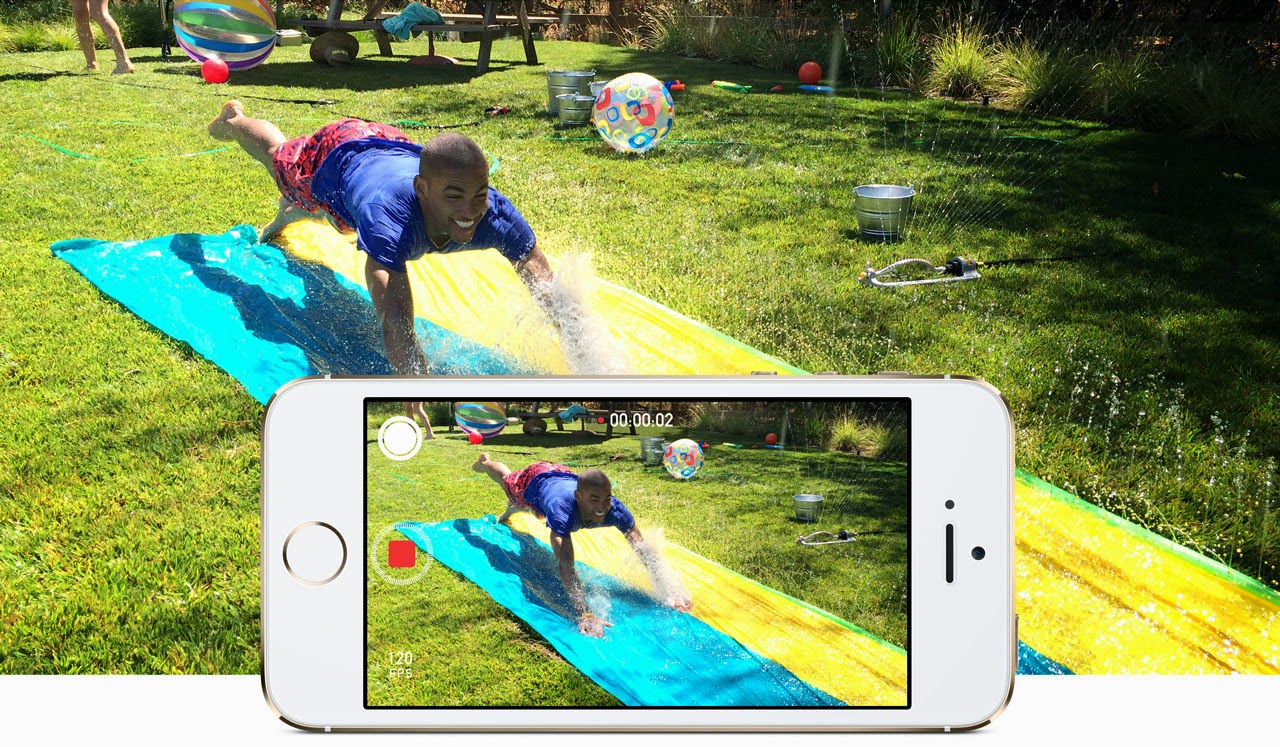
When recording a slo-mo video the iPhone 5s 
captures the scene at an extremely high speed 
(120fps) and then slows it down in the middle.
It’s perfect for recording action shots: like kids 
playing on swings, cats playing with toys or when 

you’re watching a sport event. By capturing the
video in slow motion you can really focus in on
the action. And it’s a neat party trick for iPhone 5s
owners. In this feature we’re going to take a look
at recording slo-mo video, and transferring the
video clip to a Mac.

Step 1: Record slo-mo video


Recording a slo-mo video is pretty easy. Open the
Camera app and slide your finger down the screen
so the Photo setting turns to video, now slide down

again to change the setting Slo-Mo (it will be marked
in yellow). The Camera app will now record the
video at 120fps, but play it at a slower rate. Tap on
the red Record button and capture some action; tap
the Record button again to finish capturing video.

Step 2: Play back

Now tap on the Camera Roll icon (bottom-right)
to view the video you’ve just recorded. When you
play back the video clip it’ll start normally, then
slow down in the middle, before speeding up
again to the end.

Step 3: Adjust the slo-mo e ffect


You can manually adjust the slo-mo settings to time
the slow motion e ffect to time it with the action you
recorded. Tap the screen on the video in Camera
Roll to bring up the onscreen controls. Underneath
The Video Preview bar is a Slo-Mo control bar made
up of small vertical lines. The area in the middle
(where the lines are spaced apart) is the slo-mo
part. You can drag the two black lines left and right
to determine the part where the video will enter
slo-mo mode, and return to normal playback.

Step 4: AirDrop the video

Bring up the onscreen controls and tap on Share in
the bottom-left of the screen. Ensure the video has
a blue tick in it and tap on Next and pick a sharing
method. It’s usually best to use AirDrop to share
video clips between di fferent iOS devices.

Step 5: Sharing the video

If you want to pass the video on to somebody, you
can send video as a Message, Mail or iCloud (as well
as upload to YouTube or Vimeo). Your options may
be limited with longer videos if the file size is too big
for email. But if the video is small enough to send
via email you can always send it to your own email
address and download it from Mail on the Mac.

Step 6: Transfer the video to iPhoto

If you want to import the video to the Mac, then it’s
best to use either iPhoto or Image Capture. Open
the iPhoto app and select the iPhone 5s in the
sidebar now find the video clip in the main window
and tap on Import Selected. You get the option of
leaving the video on the iPhone or removing it. It’s
up to you but eventually you’ll end up with a full
iPhone if you leave video on it.

Step 7: Import a clip using Image Capture

If you work with photos and videos a lot you should
take a look at the Image Capture app (located
in Applications). This enables you to browse the
images and video on an iPhone (or other device) and
copy them directly to the Finder. You can simply drag
the video from the main window to the desktop. Or
you can choose a location using the Import to dropdown menu and click on Import or Import All.

Step 8: Play the video

The video will be a file on the desktop (or other
location) normally named something like IMG_01234.
MOV. You can double-click the video to play it in
QuickTime. Notice that unlike normal videos there
is an extra blue button marked slo-mo. You can click
this to turn the slow motion e ffect on and off .


Top